Best High-Brightness 4K Projectors for Ambient Light: Quick Picks
The best high brightness 4K projectors for rooms with ambient light are the Epson Pro Cinema LS12000 for a dedicated, flexible home theater, the BenQ TK710 for a brighter room on a more moderate budget, and the Hisense PX3-PRO for a short-throw setup near the screen. Brightness helps preserve a viewable image, but it cannot cancel out light: screen size, screen material, projector placement, and the direction of incoming light matter just as much.
These models use different projection technologies, so their quoted brightness figures are not perfectly interchangeable. Treat the numbers below as manufacturer specifications, not a guarantee of identical on-screen brightness or contrast. Check the current regional specification sheet before buying.
Our top picks
 Star Galaxy Projector Night Light
- 【16 IN 1 Galaxy Projector】 - Galaxy projector…
- HD 52 MP Lens Planetarium Projector:Featuring an industrial-grade…
- 29 Pure Sounds Baby Sound Machine
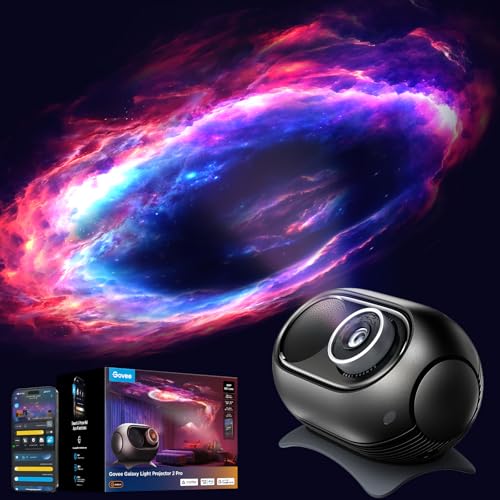 Govee Galaxy Light Star Projector 2 Pro
- 4MP High-Definition Lens with True-to-Life Rendering: Govee star…
- Upgraded 90° Wide-Angle Design: The enlarged lens increases…
- Bring the Universe Indoors: Transform any dark room…
 AIRIVO 3D Galaxy Projector
- Upgraded 3-in-1 3D Dynamic Projector:This newly upgraded star…
- 65 Dynamic 3D Scenes and Multiple Themes: Explore…
- Expansive HD Projection with Adjustable Focus: Experience a…
As an Amazon Associate we earn from qualifying purchases at no extra cost to you.
Compare brightness, throw, and fit
| Projector | Light output | Resolution approach | Throw / placement | Best fit |
|---|---|---|---|---|
| Epson Pro Cinema LS12000 | 2,700 lumens | 4K PRO-UHD pixel shifting | Standard throw; powered lens shift, zoom, and focus | Large fixed screen and flexible ceiling installation |
| BenQ TK710 | 3,200 ANSI lumens | 4K UHD DLP | Standard throw; 1.3× zoom, limited vertical lens shift | Brighter multipurpose room and gaming |
| Hisense PX3-PRO | 3,000 ANSI lumens | 4K UHD triple-laser UST | Ultra-short throw; sits close to the wall or screen | Living room where a ceiling mount is impractical |
| Epson Pro Cinema LS11000 | 2,500 lumens | 4K PRO-UHD pixel shifting | Standard throw; powered lens shift, zoom, and focus | Darkened or moderately lit room prioritizing placement flexibility |
Throw ratios and image sizes vary by model and lens setting. Use the manufacturer’s calculator for the exact screen size and distance in your room; a lens-shift range or zoom ratio is not a substitute for checking the actual installation geometry.
Which one suits your room?
For a ceiling-mounted projector and a large screen: Epson LS12000
The LS12000 is a strong choice when the projector must sit well behind the seating area or when the lens needs to be offset from the screen’s center. Its powered zoom and lens shift make it easier to align without tilting the chassis, which avoids relying on digital keystone correction that can soften the image. At 2,700 lumens, it is not the brightest option here, so it makes more sense with controlled lighting and a sensible screen size than with sunlight falling across a very large screen.
Its laser light source avoids routine lamp replacement, but the projector is a substantial, premium installation rather than a small portable device. Measure ceiling clearance, mount capacity, and cable routes before purchasing.
For a brighter multipurpose room: BenQ TK710
At 3,200 ANSI lumens, the TK710 offers the highest stated output in this comparison. That extra headroom can help with sports, games, or daytime viewing when you cannot turn off every light. It is still vulnerable to direct daylight and washed-out blacks, particularly on a large white screen. Its standard-throw lens needs more room than an ultra-short-throw projector, and its adjustment options are less forgiving than the LS12000’s powered lens system.
Choose it when brightness and gaming-oriented use are priorities, and when you can place the projector within the lens’s allowed range. Do not assume its lumens mean it will produce better contrast than a lower-output model in a dim room.
For a room without a practical ceiling mount: Hisense PX3-PRO
The PX3-PRO’s ultra-short-throw design places the projector on a cabinet close to the screen wall. This avoids a long ceiling run and can simplify access to power and streaming connections. Its 3,000 ANSI lumens are useful for a living room, but UST placement is demanding: small changes in cabinet position or screen flatness can create uneven focus or geometry.
Pair it with a flat, compatible UST screen if possible. A regular screen or painted wall may work in a darkened space, but can show light spill, texture, and unevenness more clearly. UST projectors also need careful furniture planning: measure the projector’s footprint, the gap behind it, and the screen’s lower-edge height together.
For a flexible installation at a lower brightness level: Epson LS11000
The LS11000 shares the LS12000’s broad placement flexibility and laser-based light source, but is rated at 2,500 lumens. It suits a room where lights can be dimmed and where lens shift is more valuable than maximum output. Compared with the brighter models, it is less compelling for daytime viewing on a large screen, but can be a practical fit when the room is moderately lit rather than sunlit.
Match brightness to screen size and room light
A projector’s light is spread across the image. As a rough planning rule, doubling screen diagonal while keeping the same aspect ratio makes the screen area about four times larger. The same projector then has about one-quarter the light per unit of screen area. This is why a 3,000-lumen model can look lively on a 100-inch screen yet underwhelming on a much larger one in the same room.
For a concrete illustration, a 120-inch 16:9 screen is about 42 square feet; a 150-inch screen is about 65 square feet. The latter has roughly 55% more area, so it receives substantially less light per square foot from the same projector. This is a comparison of screen area, not a promised brightness measurement: actual results depend on image mode, lens setting, screen gain, and other factors.
Before buying, ask where light enters and where it lands. Light aimed at the screen reduces perceived contrast more than similar light kept off the screen. Blackout curtains, shades, and repositioned lamps may improve the image more effectively than paying for a small increase in rated lumens. An ambient-light-rejecting screen can help in some setups, but must be matched to the projector’s position and the room’s light direction.
Decision guide by installation
| Your situation | Best starting point | Check before committing |
|---|---|---|
| Ceiling mount is far back or off-center | Epson LS12000 or LS11000 | Lens-shift range, throw distance, mount position |
| Lights stay on; screen is moderate in size | BenQ TK710 | Screen size, direct light on screen, lens distance |
| No ceiling mount; projector must sit by the wall | Hisense PX3-PRO | UST screen compatibility, cabinet depth, alignment |
| Room can be dimmed and placement is tricky | Epson LS11000 | Whether its lower brightness suits your screen size |
Placement and ownership details that affect the picture
- Measure before mounting: Confirm the lens-to-screen distance for your chosen image size, then check whether the lens shift can reach the screen center. Avoid using keystone as a routine alignment tool.
- Control light at the screen: A lamp behind the seating position may be less damaging than a window reflection or ceiling light shining directly onto the image. Test the room at the times you actually watch.
- Plan for heat and dust: Leave the manufacturer-specified ventilation space, keep intake and exhaust paths clear, and clean accessible filters when the manual calls for it. Dust buildup and blocked vents can lead to overheating or noisy operation.
- Understand light-source life: Laser models do not need periodic lamp purchases, but laser output gradually declines and the light source is not a user-replaceable lamp. Keep the projector accessible for cleaning and service rather than sealing it into an unventilated cabinet.
- Use an appropriate screen: A standard matte-white screen is often a sound starting point when lights can be controlled. In a brighter room, choose screen material based on projector angle and light direction; some ALR materials narrow the viewing angle or perform poorly with the wrong projection geometry.
Bottom line
For a high, flexible ceiling installation, start with the Epson LS12000; for more rated brightness in a conventional throw setup, consider the BenQ TK710; and for a living room that cannot accommodate a ceiling mount, look at the Hisense PX3-PRO with a compatible UST screen. The Epson LS11000 is the more sensible option when you can dim the room and want installation flexibility without paying for the LS12000’s higher tier. In every case, verify throw distance and screen area first: the right fit can matter more than a headline lumen figure.